Share & embed

Embed a form in any site

One lightweight snippet drops a form straight into your page — in React, Vue, Webflow, WordPress, Squarespace, or plain HTML. Visitors fill it in without ever leaving, and it loads async so your page stays fast.

Embed a form in any site: a focused example of the product in use.
The same embed snippet, dropped into a host page — the form renders inline and inherits the layout around it.

One snippet, any stack

Copy the snippet into the place your visitors already use.

Copy one short <script> tag and a container element, paste them where you want the form to appear, and you're done. The same snippet works in React, Vue, Webflow, WordPress, Squarespace, or a plain HTML file you edit by hand. There's no package to install and no build step to wire up — if you can add a tag to a page, you can embed a form. Need it in a component? Drop the container in your markup and let the script find it on mount.

One snippet, any stack: a practical embed a form in any site example.

Loads async, stays light

Let your page load while the form loads alongside it.

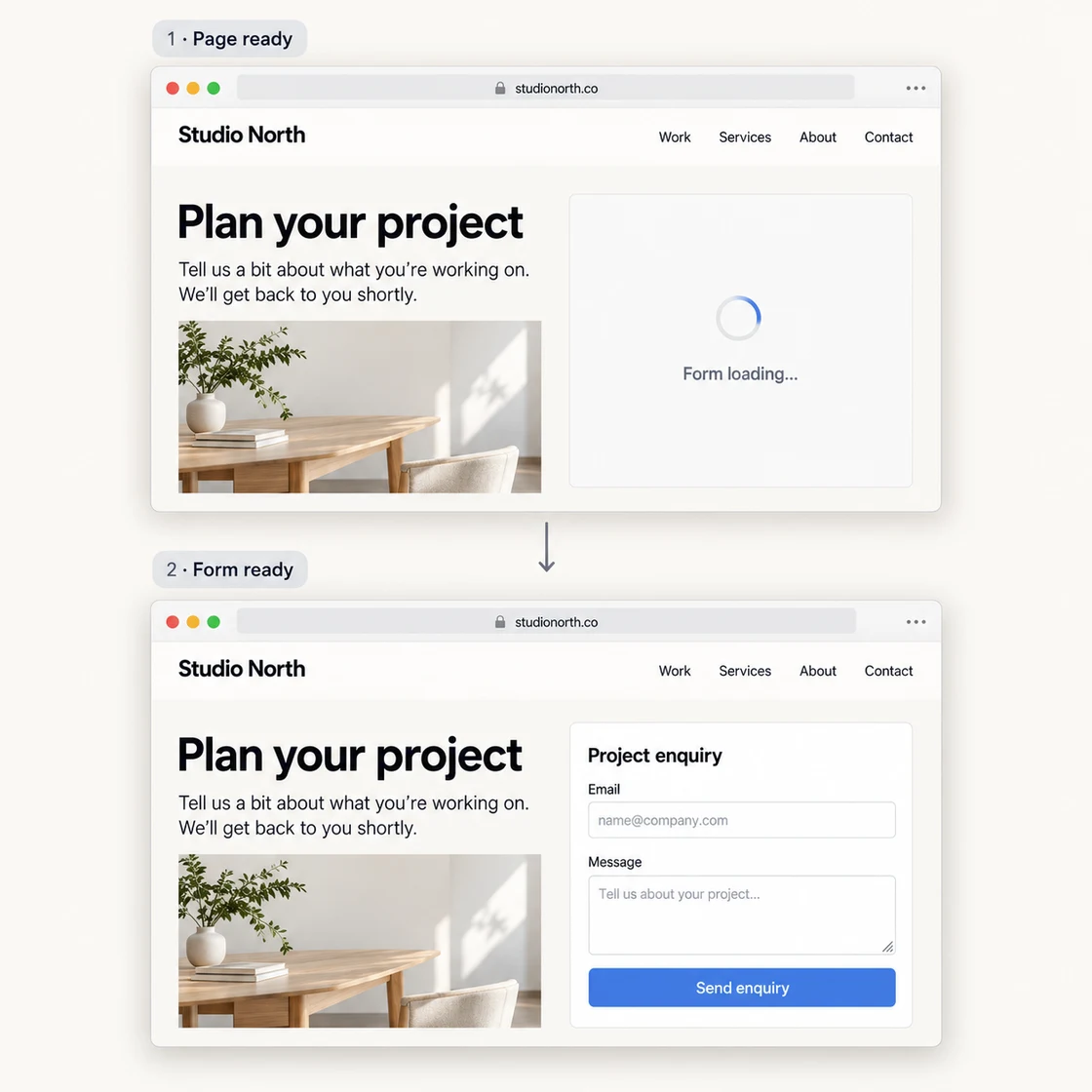
The embed script loads asynchronously, so it never blocks your page from rendering. Your content paints first; the form fills in as soon as it's ready, without holding up everything around it.

The loader itself is small and does one job — mount the form and get out of the way. It doesn't drag in a framework or fight with your own bundle, so adding a form to a page doesn't quietly cost you a slower load.

Loads async, stays light: a practical embed a form in any site example.

Looks like it belongs

Keep the form consistent with the rest of your site.

An embedded form should read as part of your page, not a panel bolted on top of it. By default the form inherits the width of its container and sits in the normal document flow, so it's responsive without extra CSS and resizes cleanly as visitors fill it in.

When you want it to match more closely, theme it to your brand — colors, type, spacing, corners — from the form editor. And because it's a real embed rather than an iframe you're locked into, your visitors stay on your page from first field to confirmation. There's no redirect, and no second site to trust.

Looks like it belongs: a practical embed a form in any site example.
Also included
Works where you build

React, Vue, Webflow, WordPress, Squarespace, or plain HTML — one snippet, same behaviour.

Async by default

The script loads without blocking render, so your page stays fast.

Responsive, no iframe lock-in

The form flows with your layout and adapts to any container width.

Theme to match

Set colors, type, and spacing so the form reads as part of your site.

Want a second opinion?

Explore how formformform fits the forms you need to build.

Opens with product context and a link to this page.

View or copy the prompt

Put a form on your page

Build a form, copy the snippet, and paste it wherever you want it. It works the same on every stack.

Start for free