Import from Typeform
Typeform shows one question per screen and moves people along with jump logic. formformform shows the whole form on one page, or on a few pages if you add page breaks, and uses show and require conditions. The import flattens each typeform into that shape, question by question, and copies every response and uploaded file across.
All it needs is a personal access token from your Typeform account.
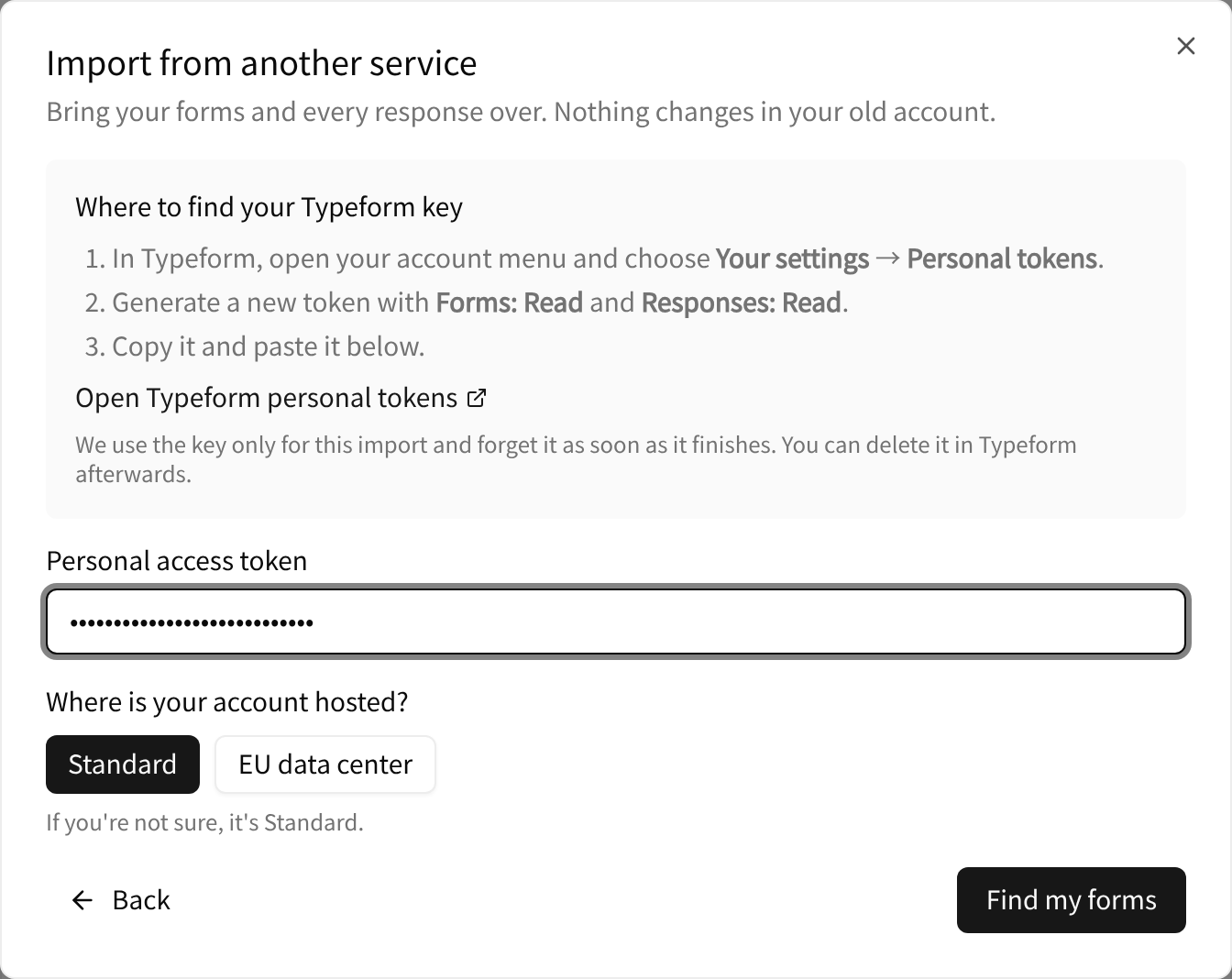
Create a personal access token
Typeform calls its API keys personal access tokens. The token only needs permission to read forms and responses. The import never writes anything to Typeform.
- 1
In Typeform, open your account menu and choose Your settings, then Personal tokens.
- 2
Click Generate a new token and give it a name you'll recognise, such as "formformform import".
- 3
Under scopes, choose Forms: Read and Responses: Read.
- 4
Generate the token and copy it straight away. Typeform shows it only once.
The dialog has a link that opens Typeform's personal tokens page directly. Once the import is done you can delete the token there.
Run the import
Typeform keeps EU accounts in a separate data centre with its own API, so the import needs to know which one to ask.
- 1
In formformform, click New Form, choose Import, then Typeform.
- 2
Paste the token into Personal access token.
- 3
Under "Where is your account hosted?", leave Standard selected unless your Typeform account is in the EU data centre.
- 4
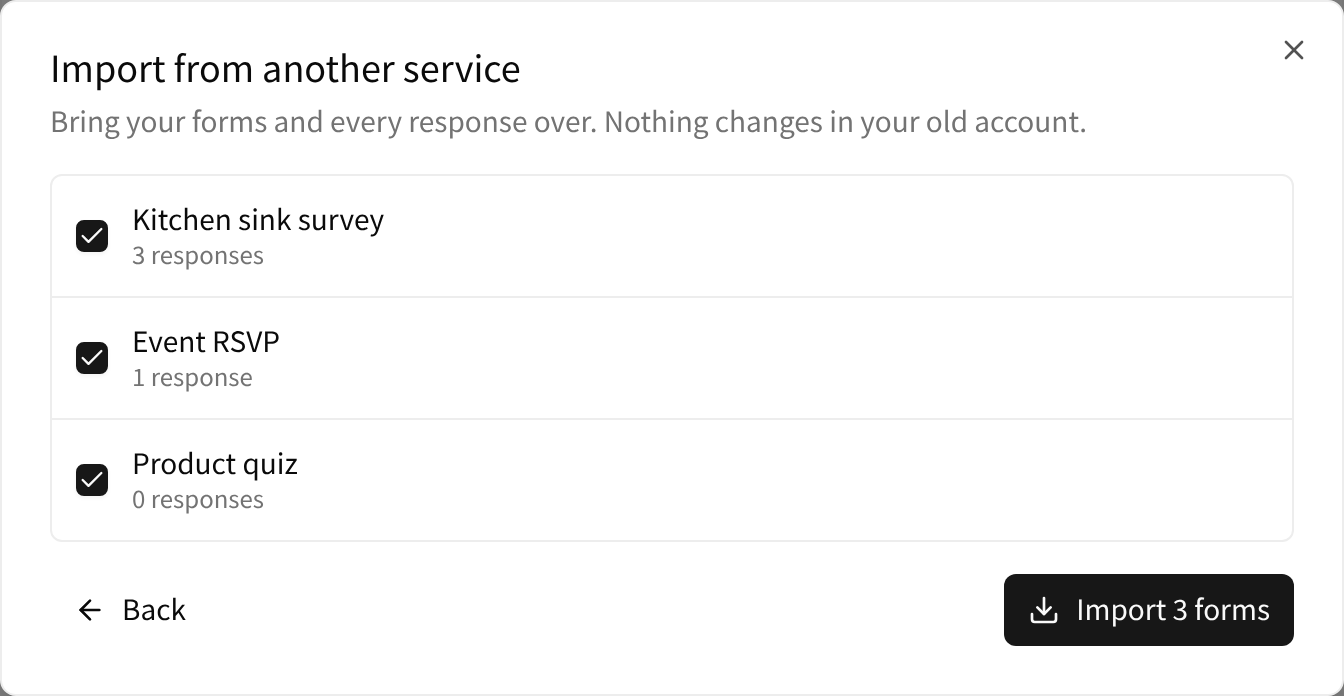
Click Find my forms, untick anything you'd rather leave behind, and click Import.
How Typeform questions come over
Short text, long text, email, phone, number, date, dropdown, multiple choice and file upload questions become the formformform field of the same kind. A website question becomes a short text field.
Yes/no questions become a Yes/No radio choice, and a legal question becomes an "I accept" checkbox. Opinion scale, rating and NPS questions become radio choices covering the same range, so 0 to 10 stays 0 to 10. Picture choice questions keep their options but not their pictures.
Contact info and address questions are split into one field per part, such as first name, last name, email and phone, so each part can be searched and exported on its own. A question group becomes a heading followed by its questions. Statements become paragraphs, and the welcome screen becomes the paragraph at the top of the form. Your first thank-you screen becomes the form's thank-you message.
Hidden fields come over as hidden fields, along with the values each response carried. Images are copied into formformform.
What you'll need to redo
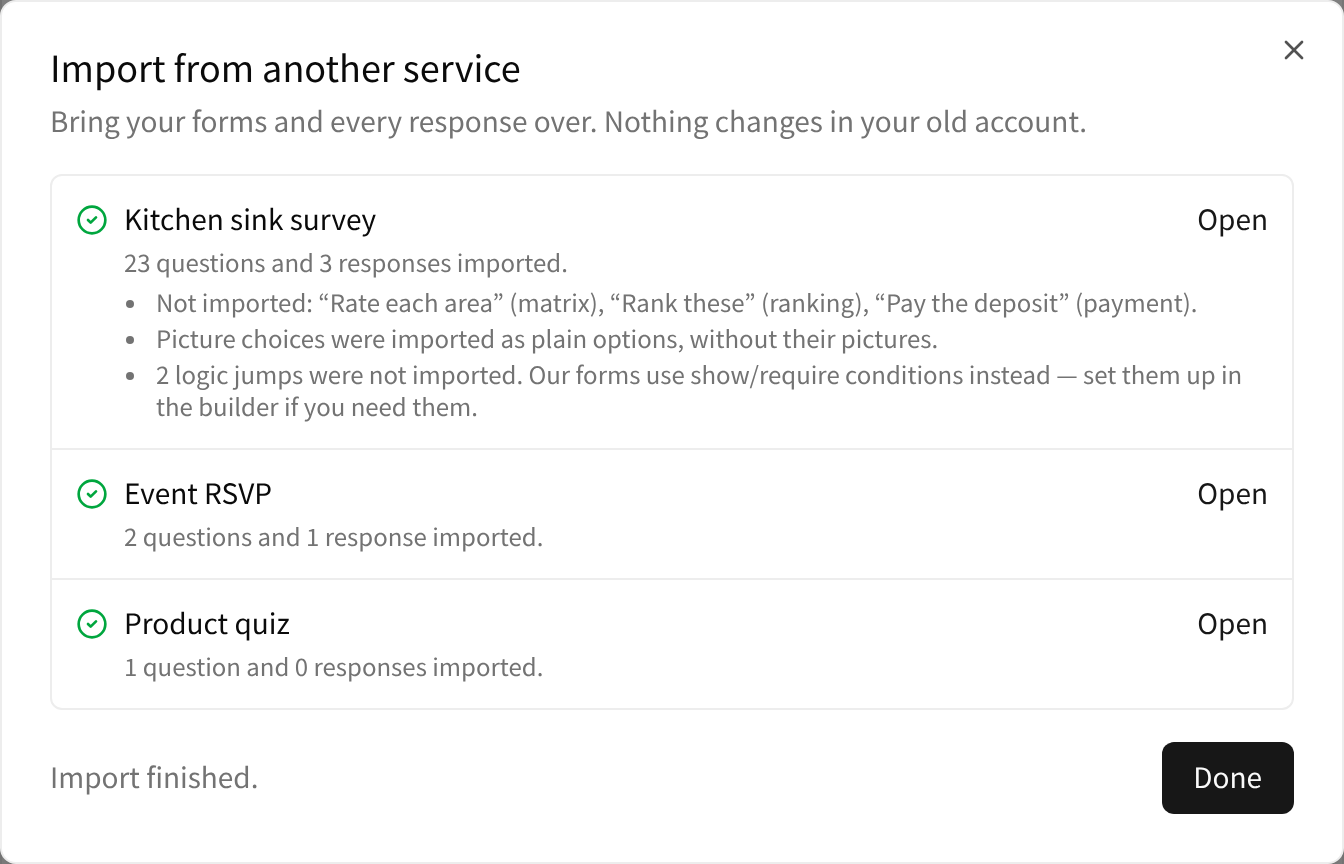
The summary for each form lists anything it couldn't recreate.
Matrix, ranking and payment questions have no formformform equivalent, so they are named and left out. Their answers are left out of the imported responses too, so export them from Typeform first if you need them.
Logic jumps are counted rather than converted. Jumps send a respondent to a different screen, but formformform keeps every question on the page and shows or requires a field when an earlier answer calls for it. Most branching translates to a show condition on the questions that only some people should see.
Frequently asked questions
Which Typeform data centre is my account in?
If you didn't choose the EU data centre when you signed up, you are on Standard. If Find my forms says the token didn't work and you are sure you copied all of it, try the other data centre.
Why does a form show "Responses: —"?
On large accounts the import counts responses for the first 30 forms only, to keep the list quick to load. The import itself still brings every response from every form you tick.
Related articles
- Import your forms and responses from another service
Bring every form, and every response it has collected, over from Typeform, Tally, Jotform or a WordPress form plugin.
- Show and hide fields with conditional logic
Add a rule to a field so it appears, or becomes required, only when an earlier answer calls for it.
- Hidden fields and prefilled values
Tag each response with where it came from, and start visible fields off with a value already in the box.
- Thank-you messages and redirects
Set the confirmation people see after they submit, or send them to a page on your own site instead.
- Import from Tally
Create a Tally API key, paste it in, and bring every Tally form over with its completed submissions.
Still need help? Contact our support team and tell us what you are trying to do.
Log in to your account