Import from Tally
Tally forms are built from blocks: a title block followed by the input it labels, text blocks, headings, dividers and page breaks. The import walks those blocks in order and rebuilds the form field by field, page breaks included. It then copies across every completed submission and its uploaded files.
You need an API key from your Tally account. Tally has one data centre, so there is no region to choose.
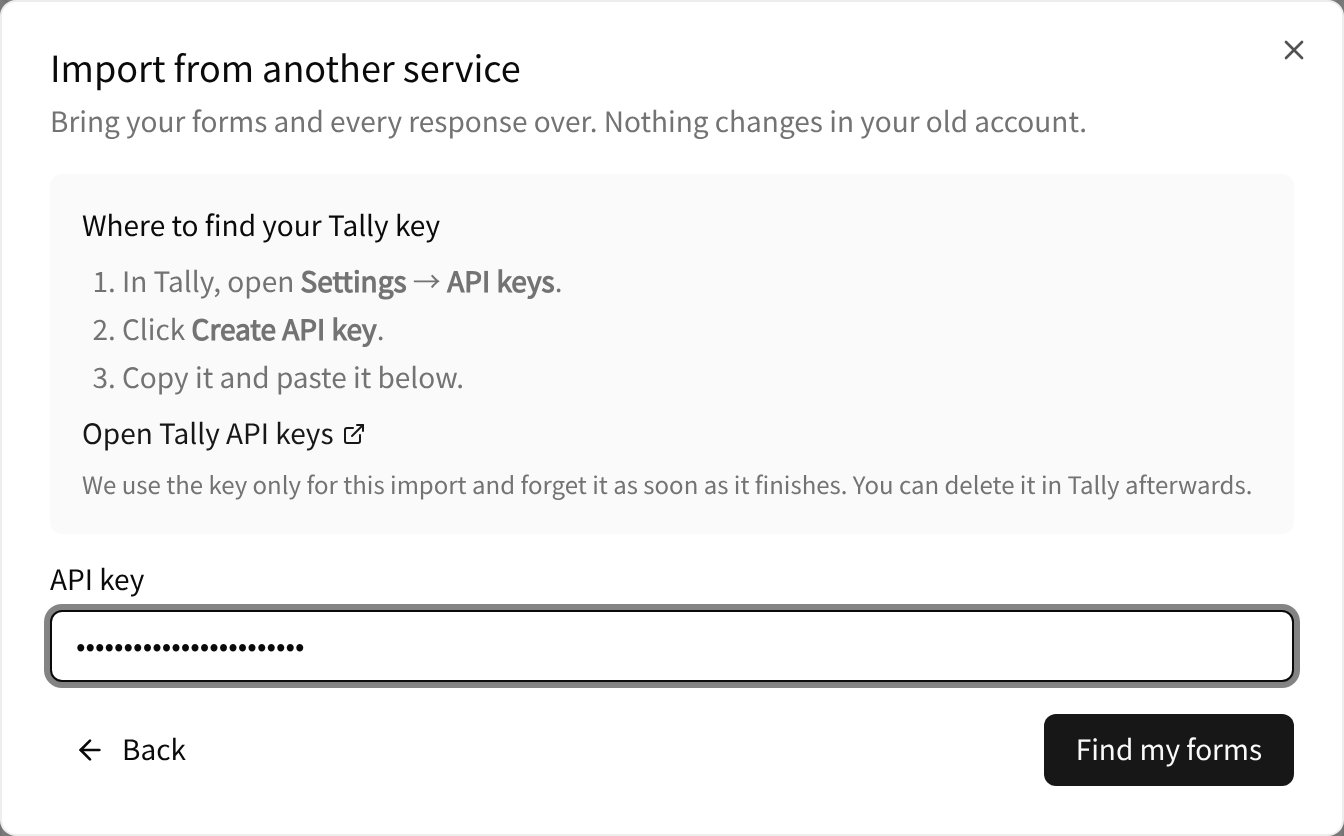
Create an API key
The import only reads your forms and submissions with this key. It never changes anything in Tally.
- 1
In Tally, open Settings, then API keys.
- 2
Click Create API key.
- 3
Copy the key.
The dialog has a link that opens Tally's API keys page directly. Delete the key there once the import is done.
Run the import
Each form is listed with its number of submissions.
- 1
In formformform, click New Form, choose Import, then Tally.
- 2
Paste the key into API key.
- 3
Click Find my forms, untick anything you'd rather leave behind, and click Import.
How Tally blocks come over
The question title above each input becomes that field's label. Short answer, long answer, email, phone, number, date and file upload blocks become the matching formformform field. Link and time blocks become short text fields. Multiple choice, checkboxes and dropdown blocks keep all their options.
Linear scale and rating blocks become radio choices covering the same range. Headings, text, dividers and page breaks keep their place, so a multi-page Tally form stays multi-page. Images are copied into formformform, and hidden fields come over with the values each submission carried.
Required questions stay required.
What you'll need to redo
Conditional logic and calculated fields aren't imported, and the summary says so when a form had them. Rebuild the logic as show or require conditions on the fields in the editor.
Block types formformform doesn't have, such as payment blocks, are named in the summary and left out. Their answers are left out of the imported responses too. Tally's thank-you page isn't imported either. Set the form's thank-you message after the import.
Only completed submissions are imported. Partial submissions that Tally keeps for unfinished forms are skipped.
Frequently asked questions
Do I need a paid Tally plan?
The import only needs a working API key. If Tally lets you create one on your plan, the import can use it.
Are uploaded files copied?
Yes. Files uploaded to a Tally form are copied into formformform, up to 10 MB each. A file that can't be copied is counted in the summary.
Related articles
- Import your forms and responses from another service
Bring every form, and every response it has collected, over from Typeform, Tally, Jotform or a WordPress form plugin.
- Split a long form across pages
Add page breaks from the Layout palette to turn one long form into a short sequence of numbered steps.
- Show and hide fields with conditional logic
Add a rule to a field so it appears, or becomes required, only when an earlier answer calls for it.
- Thank-you messages and redirects
Set the confirmation people see after they submit, or send them to a page on your own site instead.
- Import from Typeform
Create a Typeform personal access token, paste it in, and bring every typeform over with its responses.
Still need help? Contact our support team and tell us what you are trying to do.
Log in to your account