Import from WordPress: Gravity Forms, WPForms and Fluent Forms
A WordPress form plugin keeps its forms inside your site, so there is no account to connect to. Instead you export the forms from the plugin as a .json file and upload that. To bring the entries too, export each form's entries as a CSV and attach it to that form in the list.
This works for Gravity Forms, WPForms and Fluent Forms. The file is kept only while the import runs.
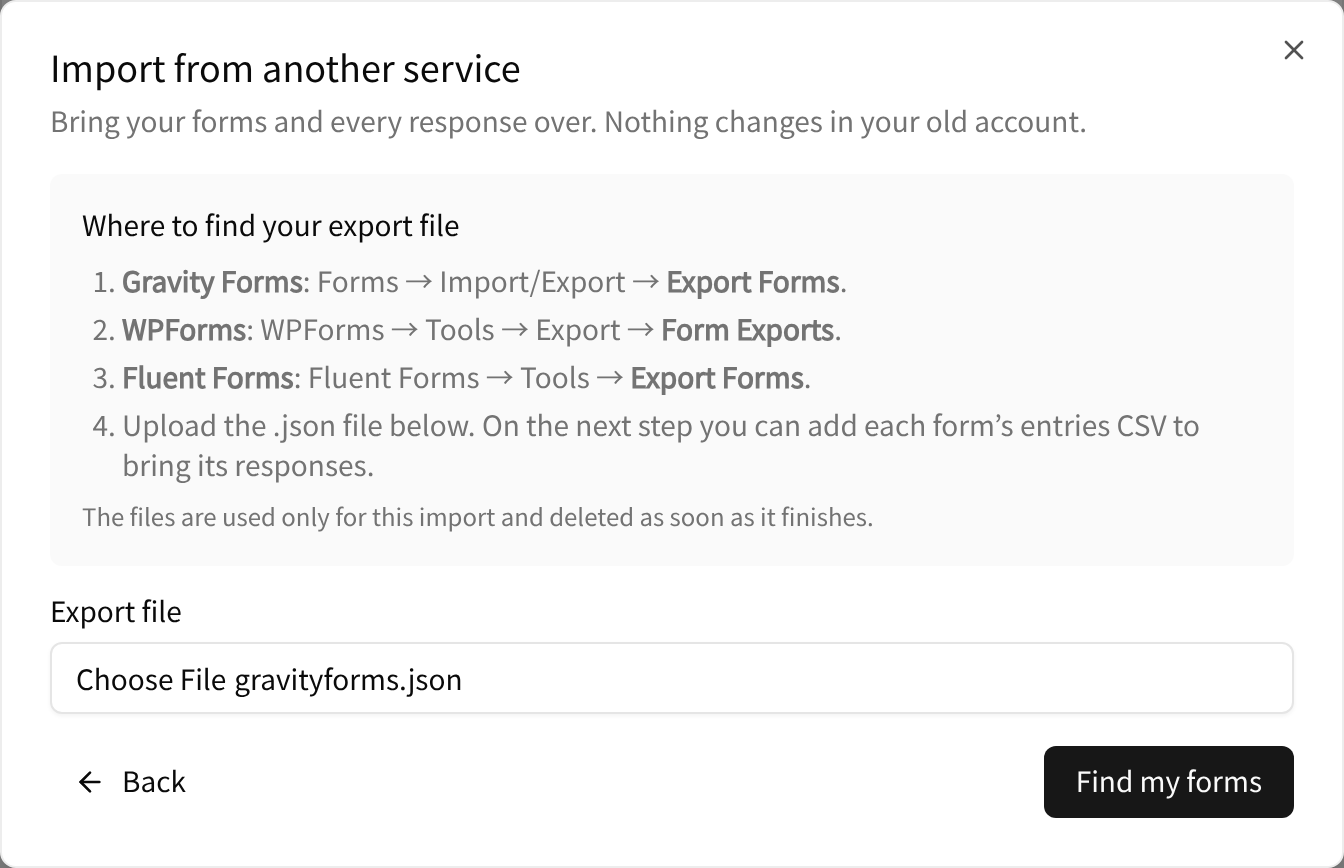
Export your forms
One export file can hold several forms. Select them all in the plugin and they'll all be listed in the import.
- 1
Gravity Forms: go to Forms, then Import/Export, then Export Forms. Select the forms and download the .json file.
- 2
WPForms: go to WPForms, then Tools, then Export. Under Form Exports, select the forms and download the .json file.
- 3
Fluent Forms: go to Fluent Forms, then Tools, then Export Forms. Select the forms and download the .json file.
The export file can be up to 5 MB. If yours is bigger, export the forms in smaller batches and run the import once per file.
Export each form's entries
Entries are exported per form, as a CSV. Keep the column headings exactly as the plugin writes them, because the import matches each column to a question by its label.
- 1
Gravity Forms: go to Forms, then Import/Export, then Export Entries. Pick the form, select all fields and download the CSV.
- 2
WPForms: export the form's entries as a CSV from WPForms' entry export. WPForms only stores entries on its paid plans, so WPForms Lite has none to export.
- 3
Fluent Forms: open the form's Entries, use Export, and choose CSV.
An entries CSV can be up to 10 MB. Skip this step and the form is still imported, just without responses.
Run the import
Each form's line tells you whether entries are attached. If you upload a file that isn't a form export, the import says so and asks for a different one.
- 1
In formformform, click New Form, choose Import, then WordPress.
- 2
Upload the .json export and click Find my forms.
- 3
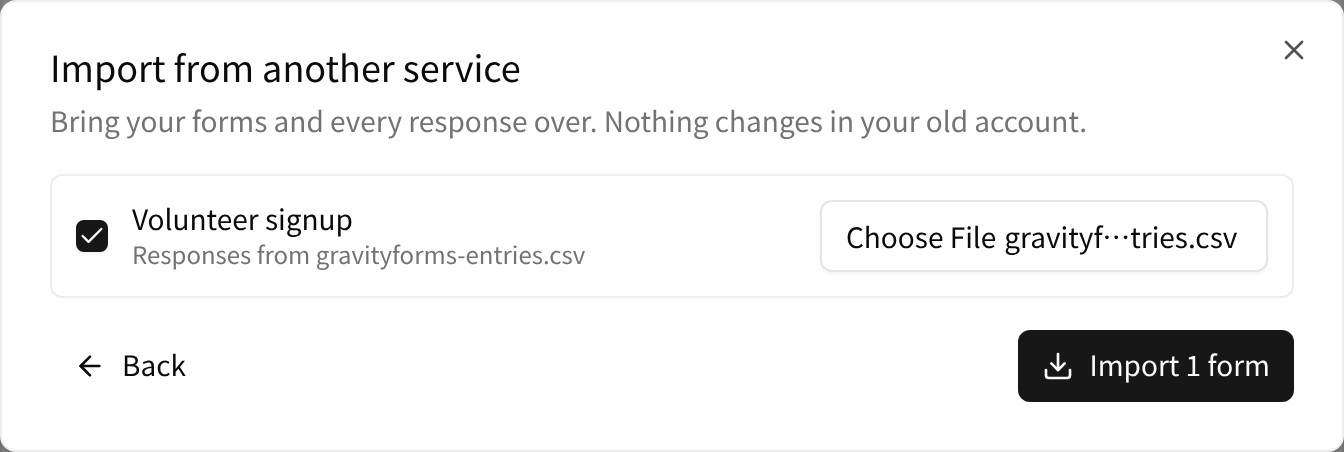
Next to each form, choose that form's entries CSV.
- 4
Untick any form you'd rather leave behind, and click Import.
What you'll need to redo
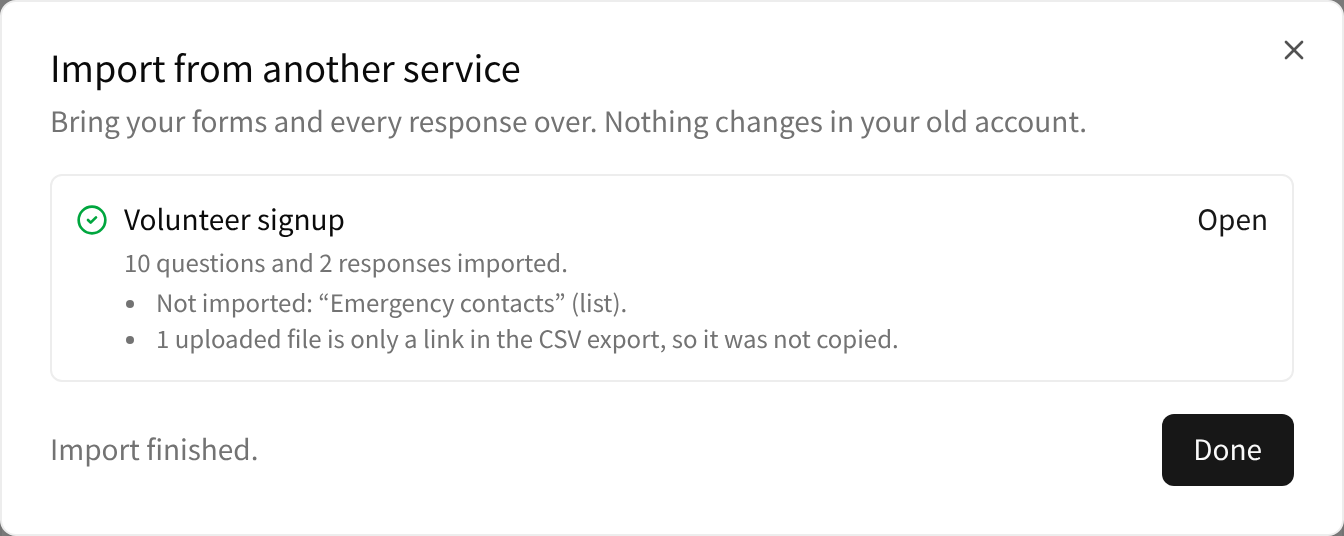
Fields formformform doesn't have, such as list or repeater fields, are named in the summary and left out. CAPTCHA and honeypot fields are skipped without a mention, because they don't collect answers. Plugin conditional logic isn't imported, so set it up again as show or require conditions.
Uploaded files are the important exception. In an entries CSV, an uploaded file is only a link back to your WordPress site, so it isn't copied, and the summary counts how many there were. Download those files from your site before you take it down.
Running the same export again adds only entries that weren't imported before, so you can import a newer entries CSV later without creating duplicates.
Frequently asked questions
Do I need to give formformform access to my WordPress site?
No. You download the files from your site yourself and upload them. The import never connects to your site.
What about Contact Form 7, Ninja Forms or Formidable?
They aren't supported yet. The import reads Gravity Forms, WPForms and Fluent Forms exports. Any other file is refused with a message saying so.
Why aren't uploaded files copied?
The CSV doesn't contain them, only links to wherever your site stored them. Fetching arbitrary links from our servers isn't something we do, so download the files from your site directly.
Related articles
- Import your forms and responses from another service
Bring every form, and every response it has collected, over from Typeform, Tally, Jotform or a WordPress form plugin.
- Show and hide fields with conditional logic
Add a rule to a field so it appears, or becomes required, only when an earlier answer calls for it.
- Embed a form in your website
Paste one script tag to draw your form into any page, or use the iframe where scripts are stripped.
- Collect file uploads
Add a File Upload field, then preview or download whatever people attach from the submission page.
- Import from Typeform
Create a Typeform personal access token, paste it in, and bring every typeform over with its responses.
Still need help? Contact our support team and tell us what you are trying to do.
Log in to your account